

Reports, Review, and Export
The parts of a report, how the ability score and outcome are reached, human review, and export
Opening a Report
On the interview's Candidates tab, click any candidate who has finished to open their report. Conclusions and scores are on the left; the playback and transcript are on the right.
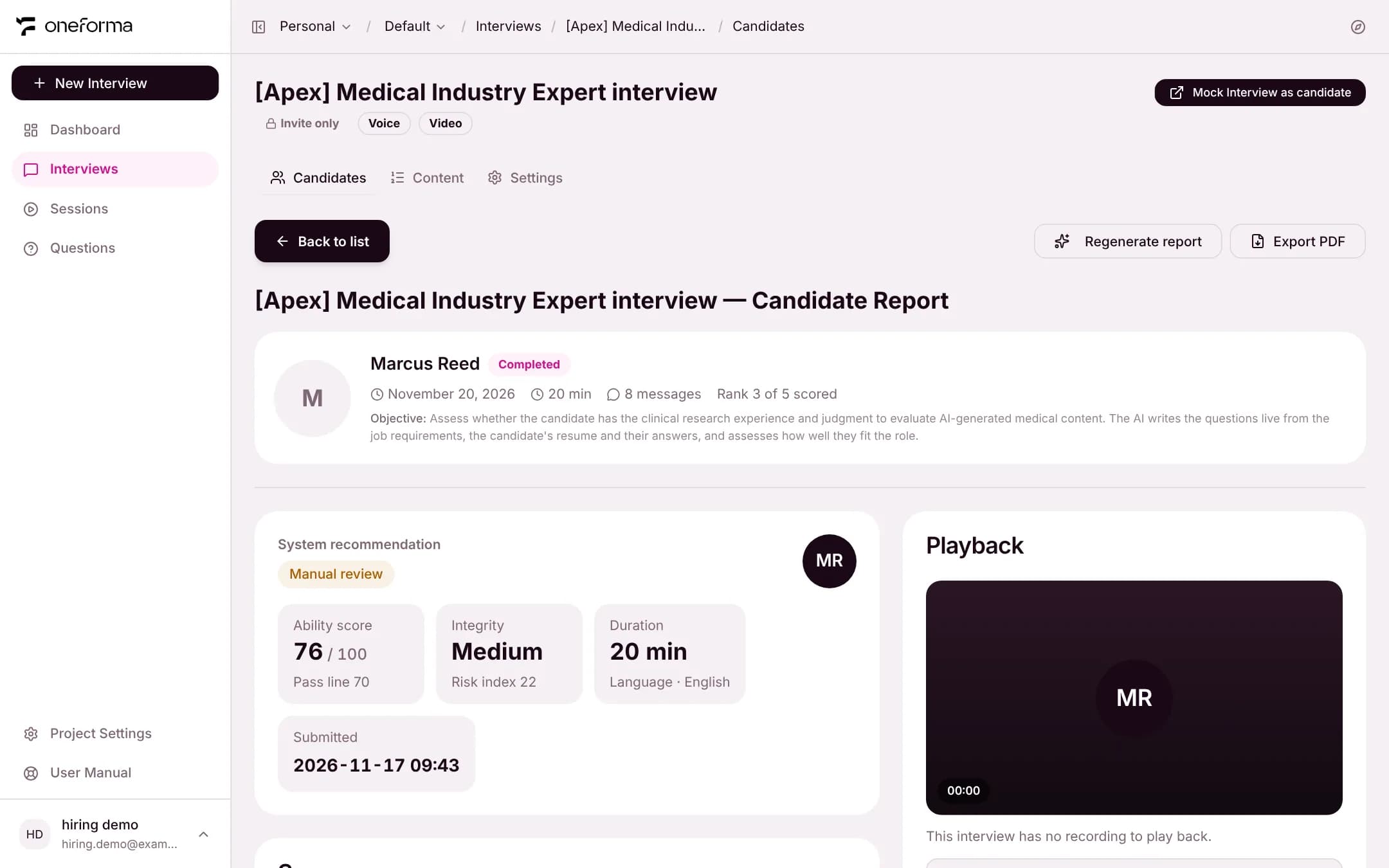
The header shows the candidate, completion time, duration, message count and their rank among scored candidates. At the top right you can Regenerate report or Export PDF.
System Recommendation
The first block is the recommended outcome and the numbers behind it:
- Outcome — Auto Endorse, Manual review or Fail.
- Ability score — 0 to 100, with this interview's pass line beside it.
- Integrity — low, medium or high, with the risk index.
- Duration, language and submission time.
The rules are in "Integrity Monitoring and Outcomes". When the outcome is manual review, this block first shows "Manual review". Once a reviewer decides under Human review further down, it shows the reviewer's decision instead (for example "Reviewed · Endorse"), with the time and the reason.
Summary, What Held Up, and Risk Points
- Summary — a short overview of the candidate's performance.
- What held up — strengths that the answers support.
- Risk points — integrity events (such as page departures and blocked pastes; click one to jump to that moment) and gaps in ability.
Ability · by Criterion
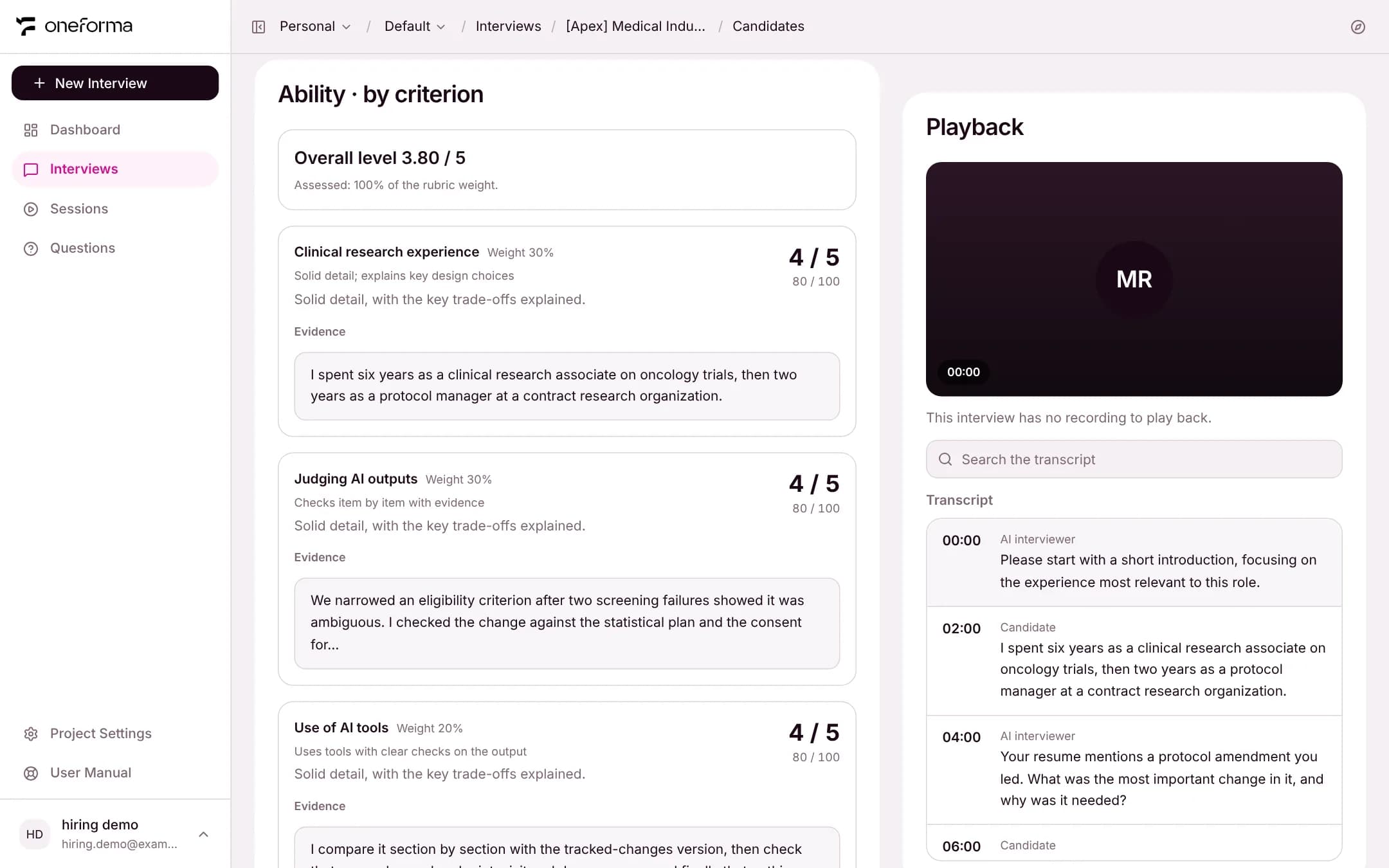
This part scores the candidate on each of the interview's assessment criteria:
- Overall level — the weighted average of the criterion levels (out of 5), with the share of the weight that was assessed.
- Each criterion shows its weight, its level (1-5) with the converted score, the anchor it matched, the reasoning, and the candidate's own words as evidence.
How the score is calculated
- Criterion score = level ÷ 5 × 100. Level 4, for example, is 80.
- Ability score = the weighted average of the criterion scores.
- A criterion with nothing in the answers to go on is not assessed and left out of the total.
- When more than 30% of the weight is not assessed, there is no overall level: the ability score shows 0 and the outcome is Fail.
Integrity Log
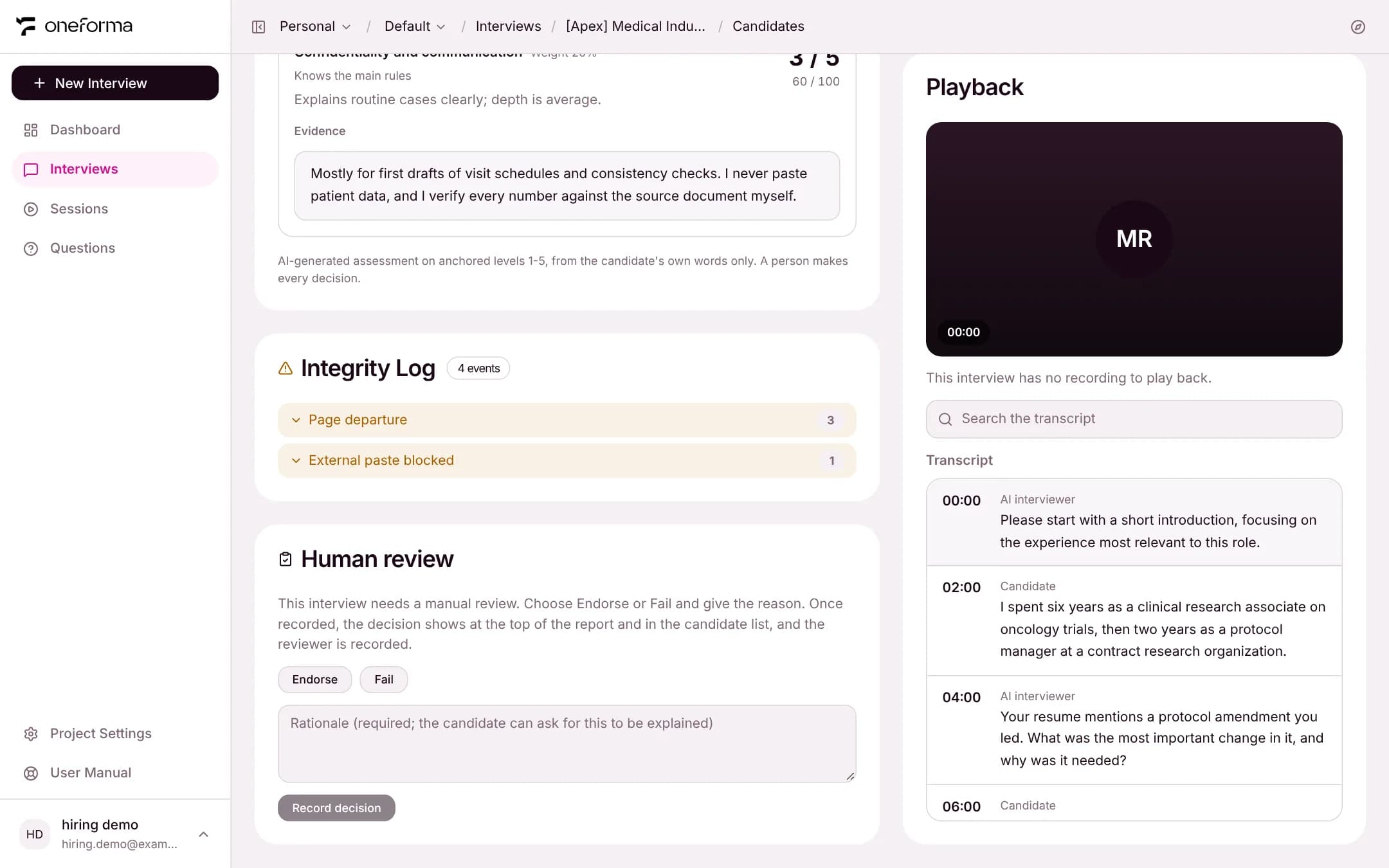
Lists the events recorded during the interview by type, with counts, such as page departures and blocked external pastes. Expand a type to see when each one happened.
Human Review
Only a report whose outcome is Manual review has this block; a report the system already marked Auto Endorse or Fail does not show it. Choose Endorse or Fail, write the rationale (required, because the candidate can ask for the decision to be explained), and click Record decision. The decision then shows at once under "System recommendation" at the top of the report and in the candidate list's tag, and the reviewer is recorded. Record again to change it: every decision is kept, and the latest one is shown.
Playback and Transcript
The right side of the report has the interview's video Playback and the full Transcript. The transcript lists each question from the AI interviewer and each answer from the candidate in time order, and can be searched. When an interview has no recording, the playback area says so; the transcript is not affected.
Export
- Export PDF — at the top right of a report; exports that report.
- Export — on the Candidates tab; exports the interview's candidate list and results.