Integrity Monitoring and Outcomes
What is monitored, how the risk index is graded, and how the system reaches Endorse, Manual review or Fail
Every interview is monitored for integrity; there is nothing to switch on. When the interview ends, the recorded events are combined into a risk index from 0 to 100, and together with the ability score it decides the recommended outcome.
What Is Monitored
Image verification
Camera behaviour
Page behaviour
Screen sharing (Strict tier)
What Candidates See
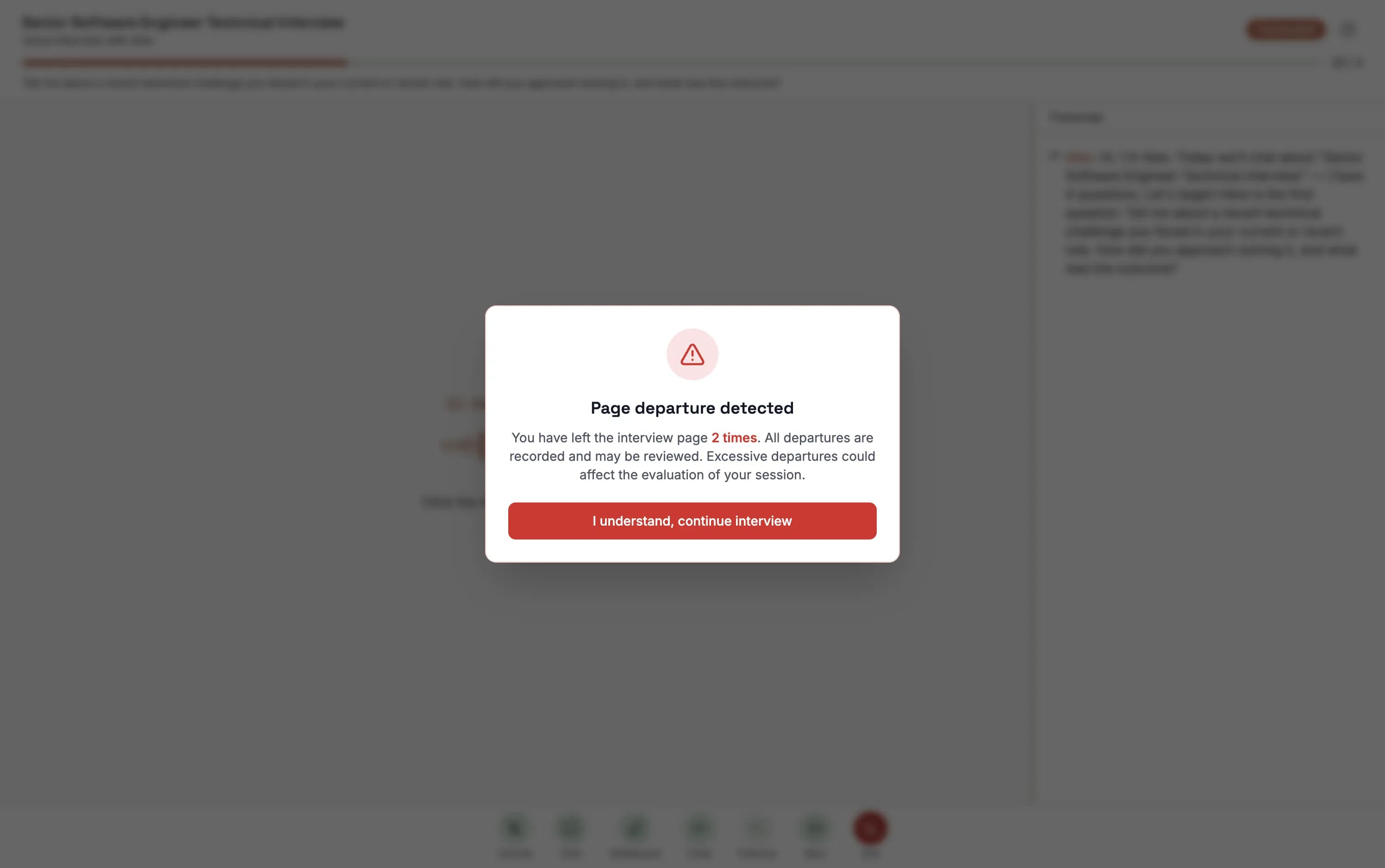
A candidate who leaves the interview page (for example, switches to another app or tab) sees a Page Departure Detected notice on return, with the number of departures so far. Every departure is recorded.
If the surroundings are noisy during the interview, the page also asks the candidate to move somewhere quiet.
Integrity Risk Levels
- Low (risk index 0-20) — clean throughout, or a single explainable anomaly, such as an occasional short pause or one brief loss of focus.
- Medium (21-50) — suspicious signals, not enough to call it cheating, such as repeated tab switches or the face briefly absent.
- High (51-100) — strong doubt that the candidate answered in earnest, such as no face for long stretches, staying away from the page, clearly reading, or someone else answering.
Outcomes
- Ability score at or above the pass line, low integrity risk — Auto Endorse
- Ability score at or above the pass line, medium integrity risk — Manual review
- Ability score below the pass line — Fail
- High integrity risk — Fail
- No ability score (more than 30% of the weight not assessed) — Fail
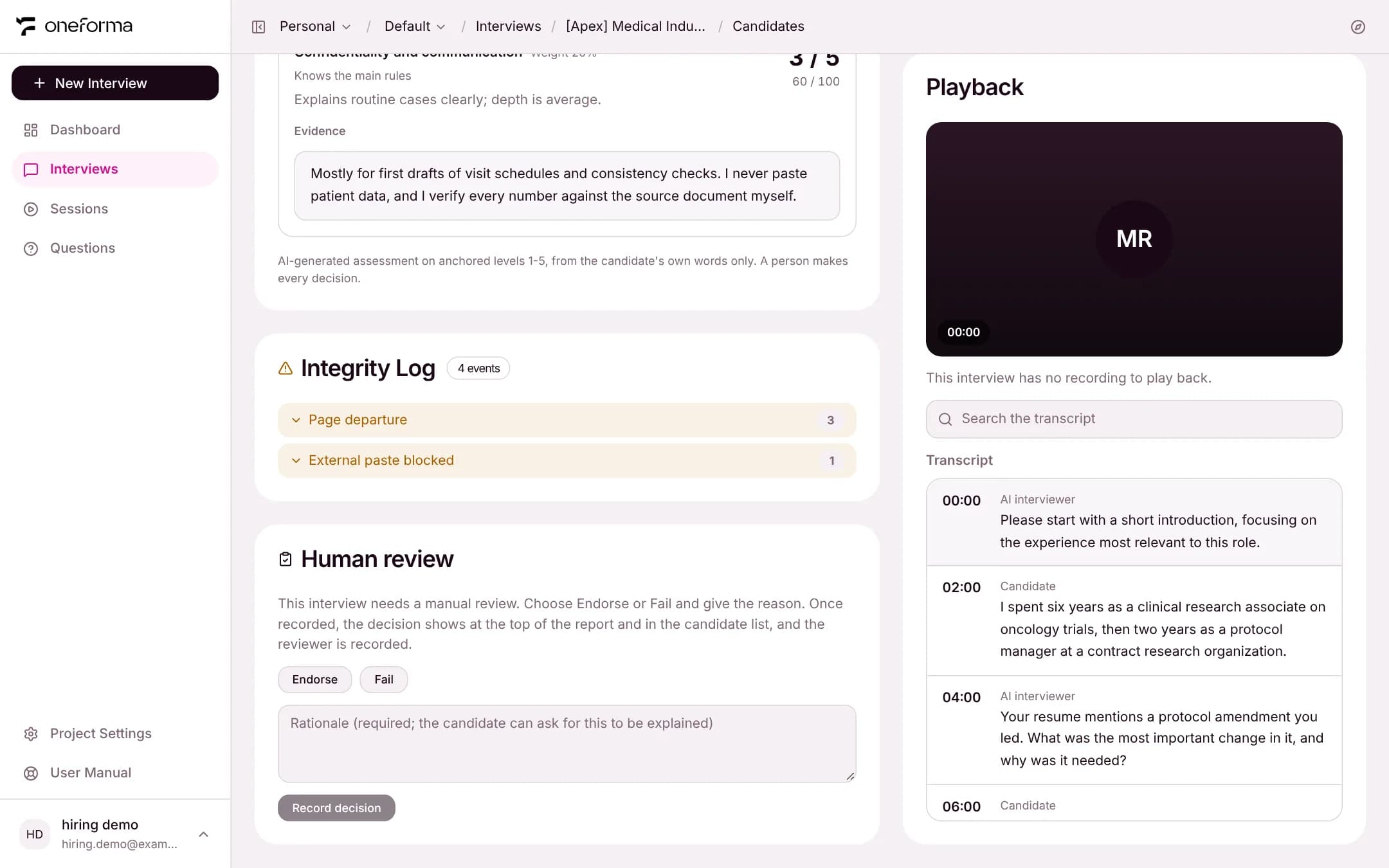
The outcome appears as a tag in the candidate list and at the top of the report. For a session sent to manual review, a reviewer chooses Endorse or Fail in the report.
Reading the Integrity Log
The Integrity Log in the report lists every event by type with its count; expand a type to see when each one happened. The main events also appear under Risk points, where a click jumps to that moment in the transcript.