

Creating an Interview
Three steps: Criteria, Session and Verdict
Creating an interview takes three steps, shown in the step bar at the top of the page: Criteria, Session and Verdict. You can click Back at any step to change an earlier one.
Every interview is an AI self-service interview: there are no prepared questions, and the AI writes them live from the Job, the candidate's resume and their answers. Every interview is also a video interview with image verification, audio verification and behaviour monitoring on; none of that needs configuring.
Step 1: Criteria
Choose a Job
Pick the Job this interview is for under Active Job. Its details appear below: Job ID, title, category, resource type, locale, visibility, project and recruiter, plus the Requirements and the Description. This text follows the page language, Chinese or English.
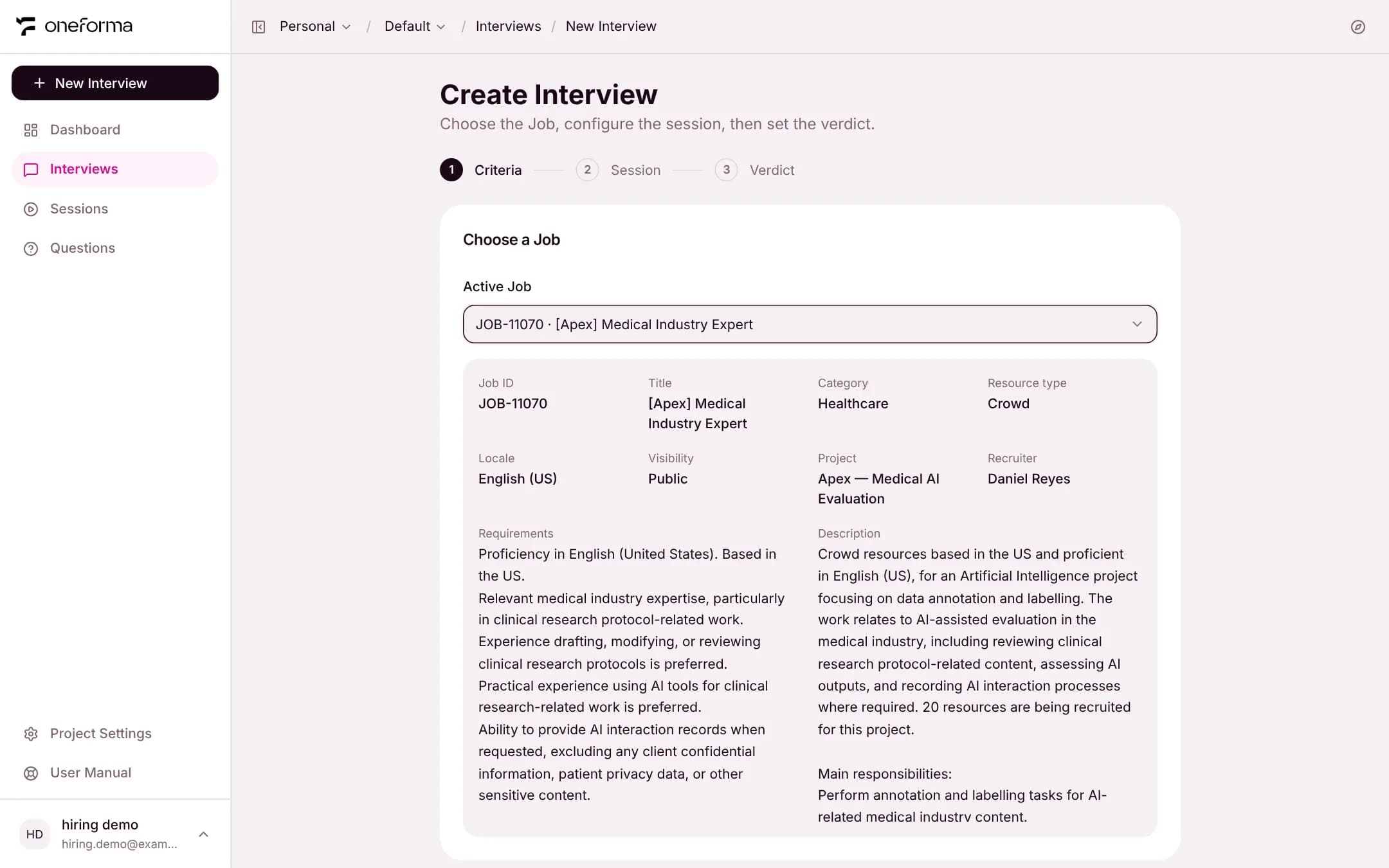
The interview language follows the Job's locale by default; you can change it in step 2.
Assessment criteria
Once a Job is chosen, the AI drafts a set of assessment criteria. Each criterion has:
- A name and what it assesses.
- A weight. The weights of all criteria must add up to 100.
- Level anchors: what an answer at each level from 1 to 5 looks like. The AI scores against them.
All of it can be edited. You can also add a criterion, delete one, or click Draft again to have the AI write a new set. An interview needs at least 3 criteria: with 3 left, a delete is refused with a notice, so add a new one first or edit an existing one. Criteria are never shown to candidates.
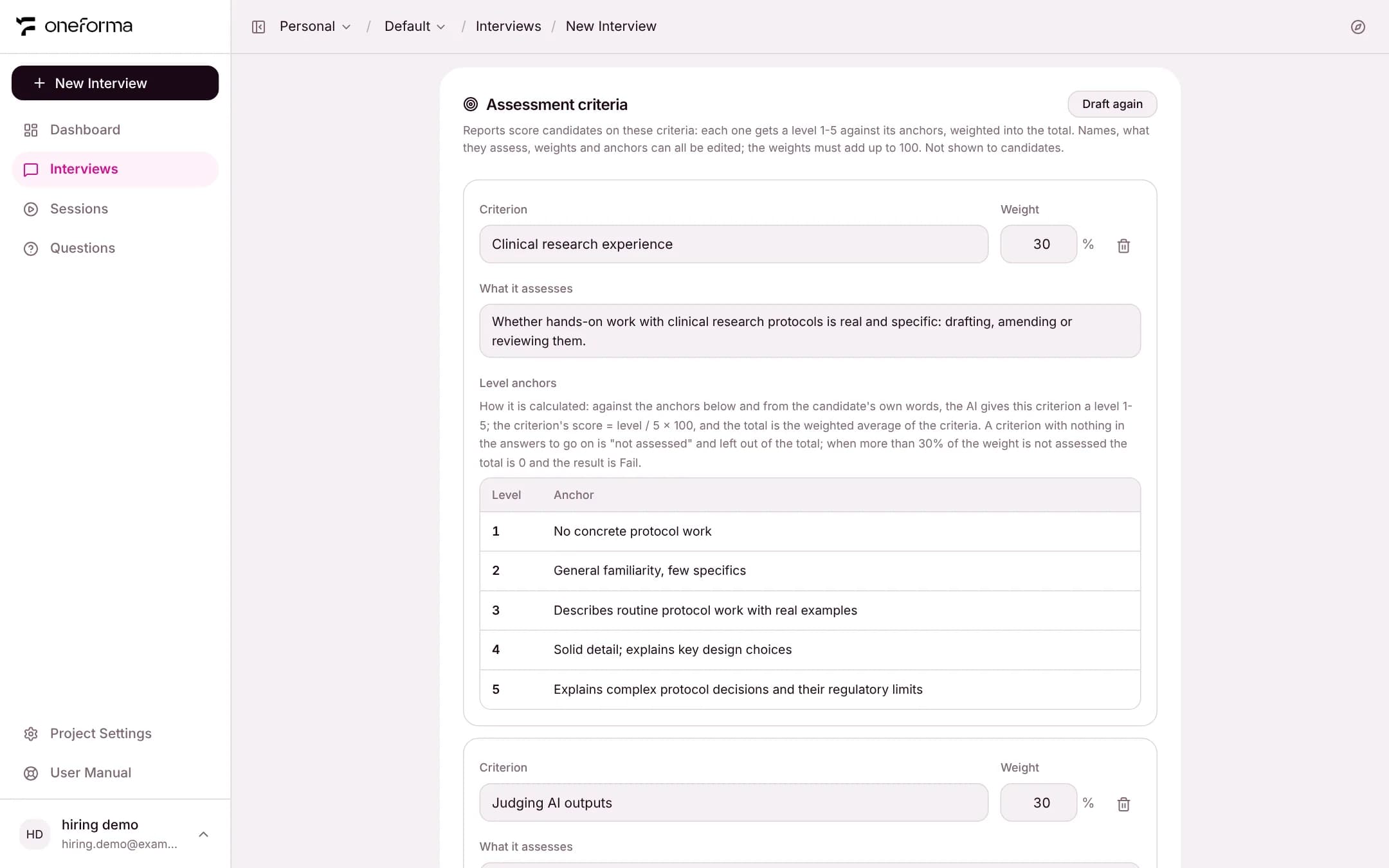
How the score is calculated
Against the anchors and from the candidate's own words only, the AI gives each criterion a level from 1 to 5. A criterion's score is level ÷ 5 × 100, and the ability score is the weighted average of the criteria. A criterion with nothing in the answers to go on is "not assessed" and left out of the total. When more than 30% of the weight is not assessed, the ability score is 0 and the result is Fail.Step 2: Session
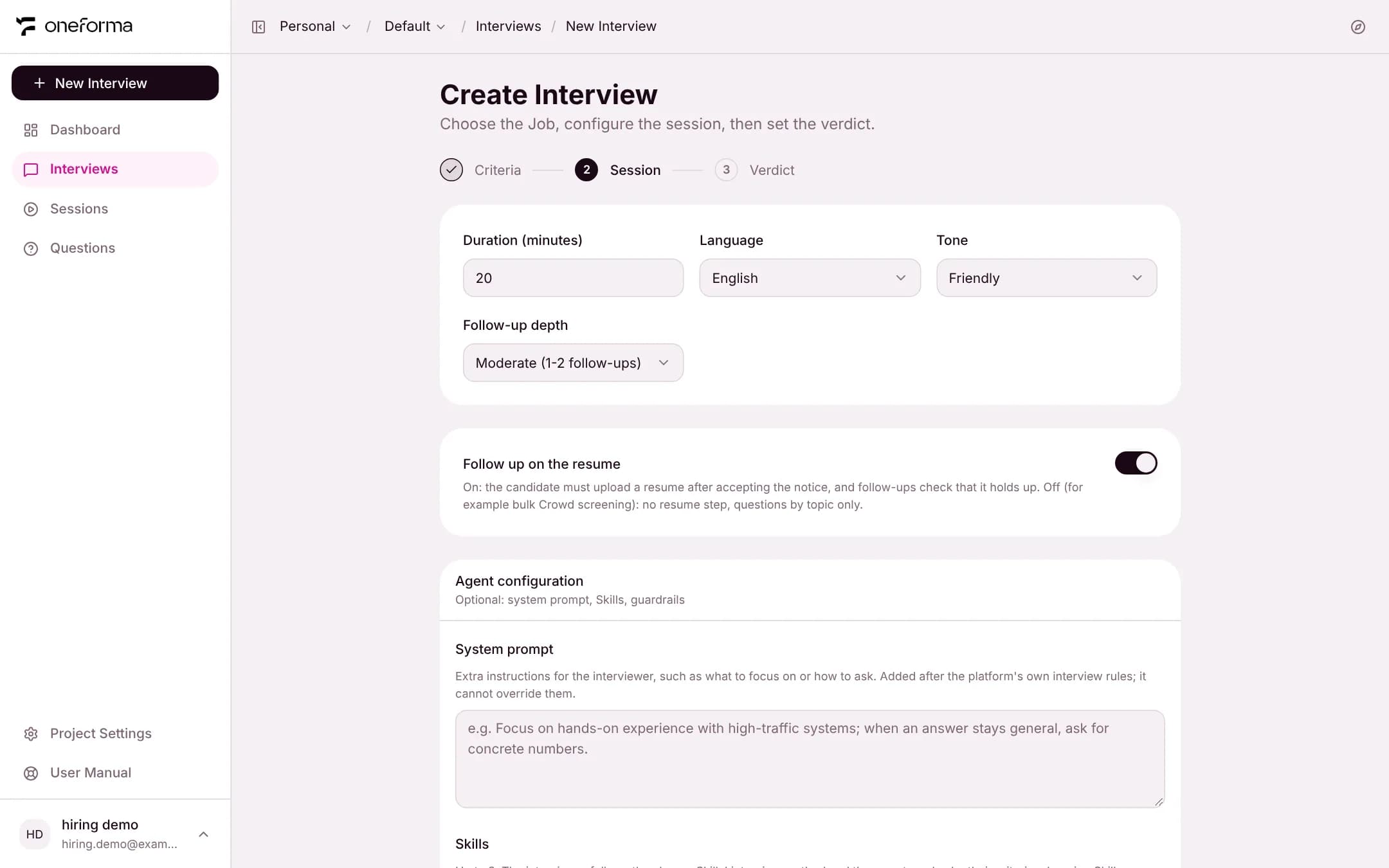
Basics
- Duration (minutes) — the planned length, 1 to 180 minutes.
- Language — the language the AI interviews and evaluates in: English or Chinese.
- Tone — Casual, Professional, Formal or Friendly.
- Follow-up depth — Light (no follow-ups), Moderate (1-2 per question) or Deep (3-5 per question).
Follow up on the resume
When on, candidates must upload a resume after accepting the notice, and the AI's follow-ups check that the experience on it holds up. When off, there is no resume step and the AI asks by topic only, which suits high-volume screening.
Agent configuration (optional)
- System prompt — extra instructions for the interviewer, such as what to focus on or how to probe. It is added after the platform's own interview rules and cannot override them.
- Skills — choose up to 3. The interviewer asks in the way each Skill describes, and the report scores against the Skill's rubric. The list is empty until your organization has published Skills.
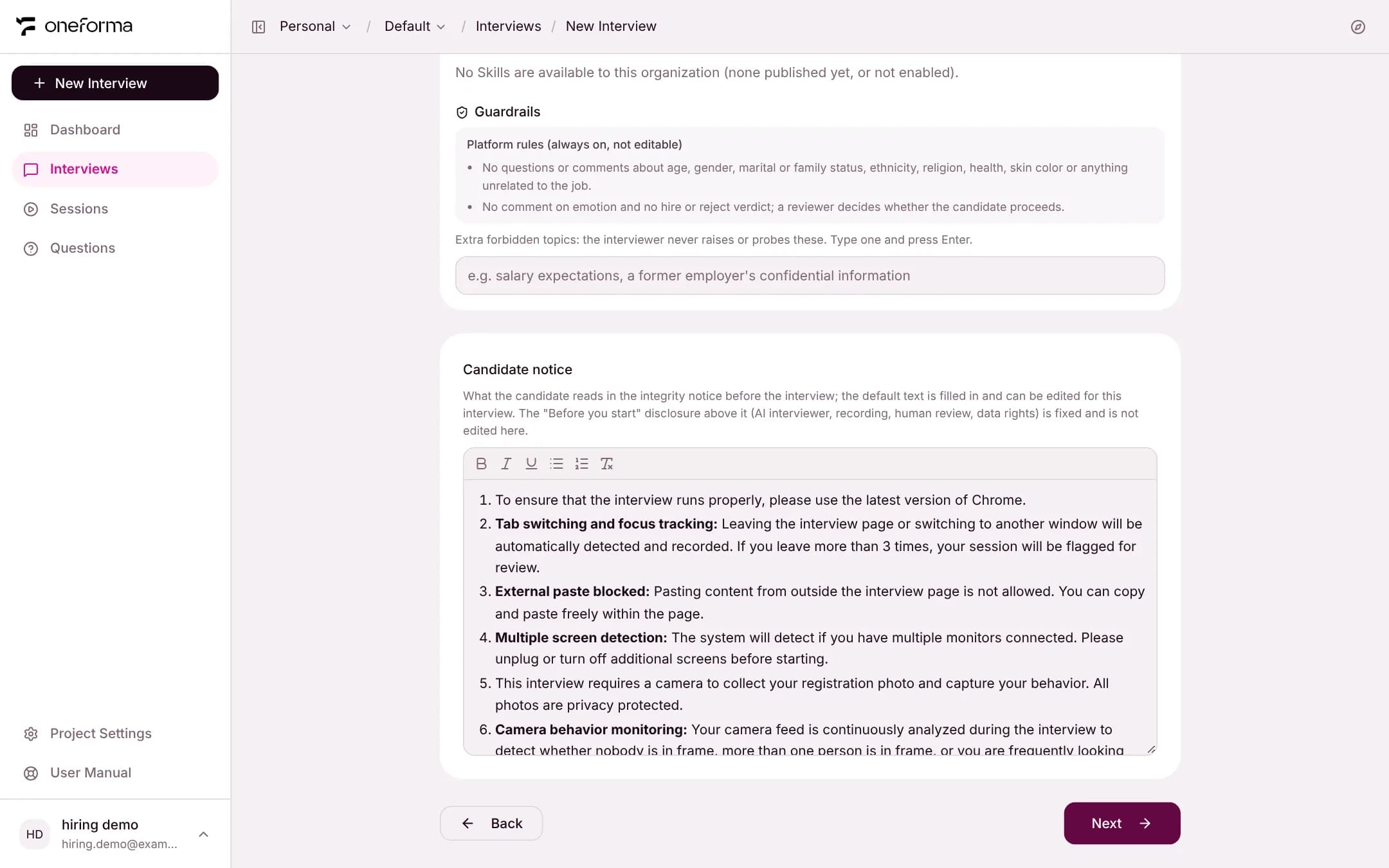
- Guardrails — the platform rules are always on and cannot be edited (for example, no questions about age, gender, marital or family status, ethnicity, religion or health that are unrelated to the job). You can add extra forbidden topics that the interviewer will never raise or probe.
Candidate notice
Candidates see a notice before the interview and must tick a box to accept it. It has two parts:
- Before you start — the required disclosure: the interviewer is an AI, the interview is recorded, a person reviews the result, and the candidate's data rights. This part is fixed.
- Integrity notice — filled in with a default text that you can edit for this interview.
Step 3: Verdict
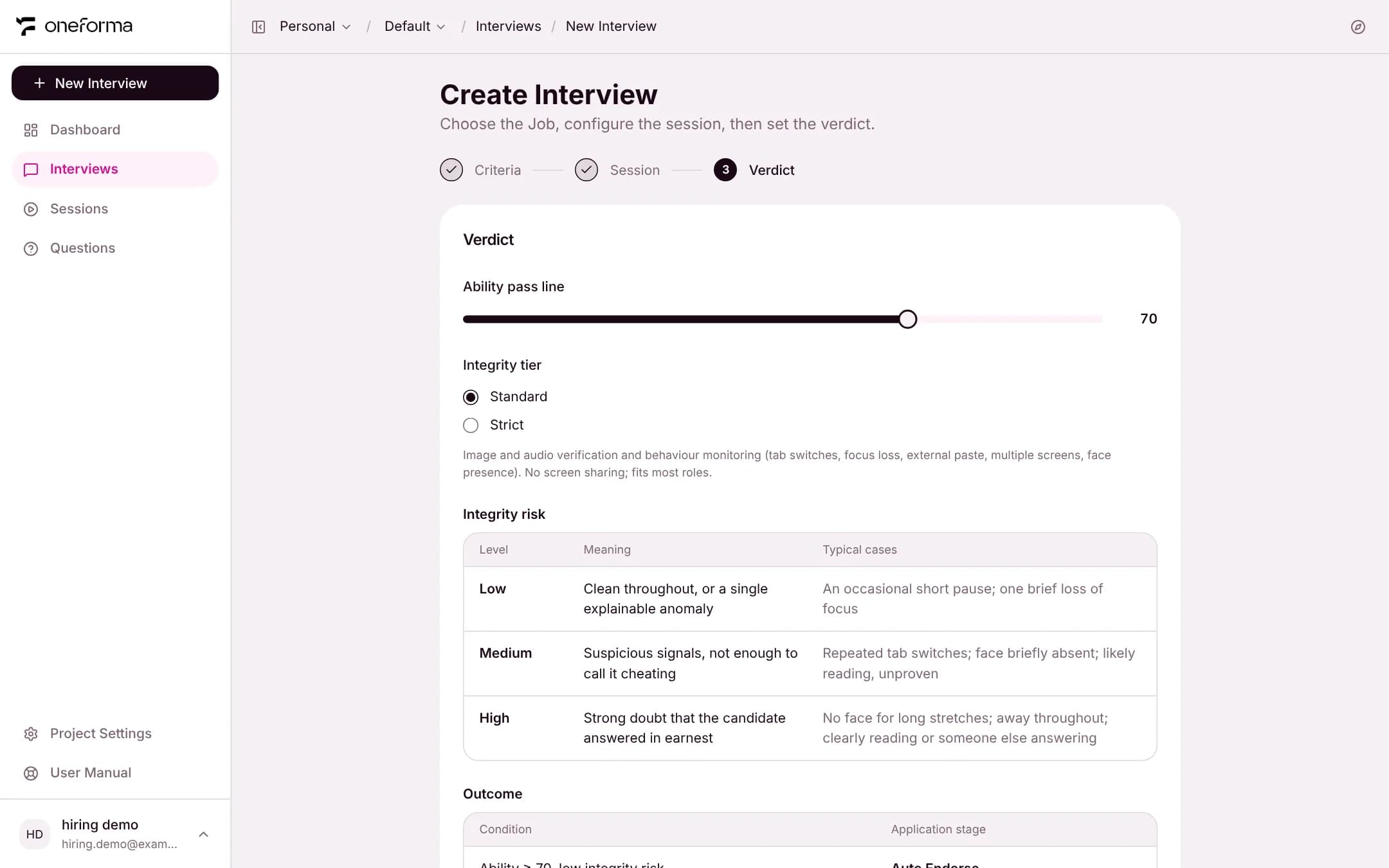
- Ability pass line — 0 to 100, 70 by default. A candidate whose ability score is below the line gets Fail.
- Integrity tier
- Standard — image and audio verification and behaviour monitoring (tab switches, focus loss, external paste, multiple screens, face presence). No screen sharing; fits most roles.
- Strict — everything in Standard, plus the candidate must share their entire screen.
The two tables below explain how the system reaches a result and are for reference only. Integrity risk has three levels: low, medium and high. Outcome lists the result for each combination of ability score and integrity risk. See "Integrity Monitoring and Outcomes".
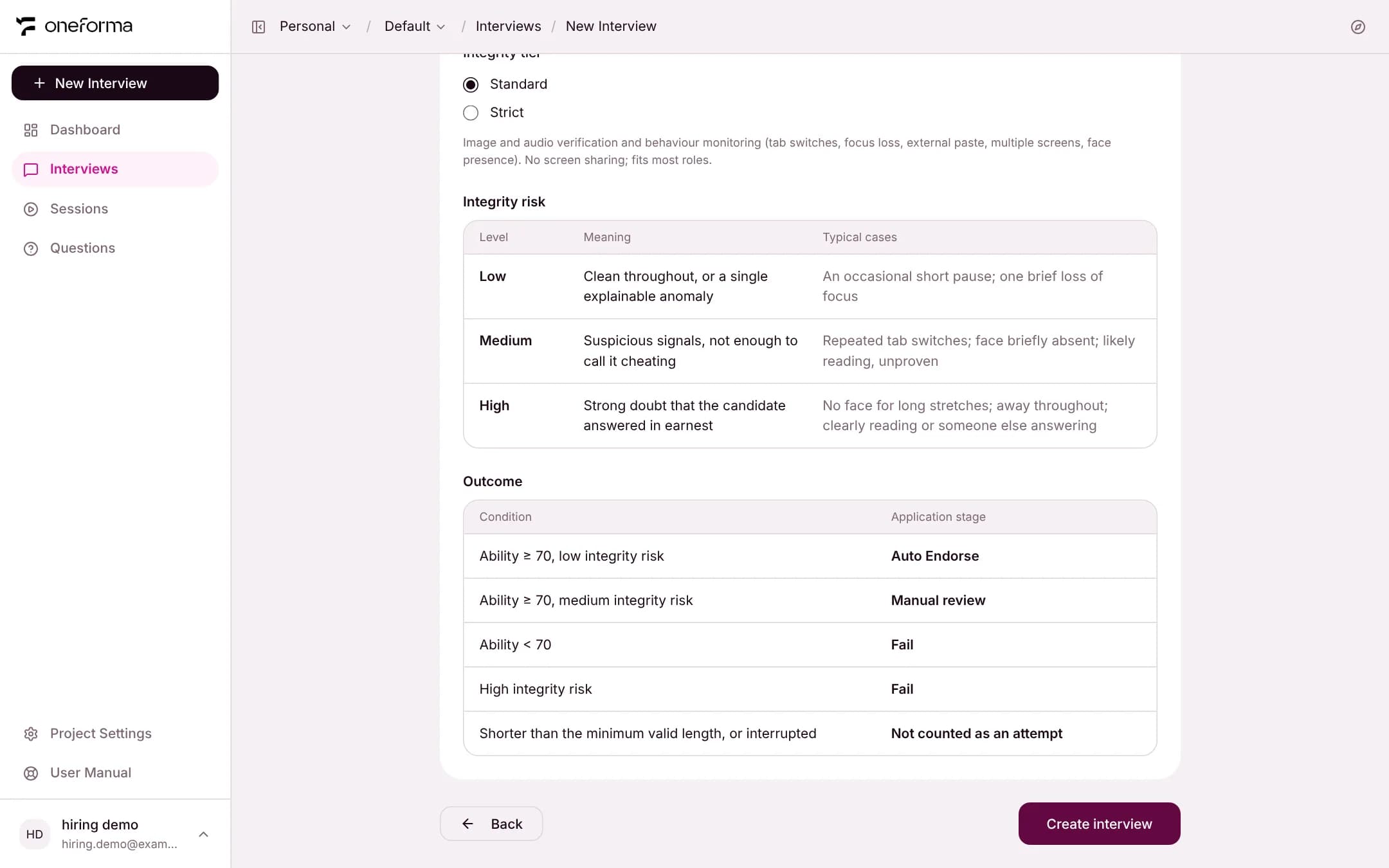
Click Create interview to finish. You are taken to the interview's Candidates tab.