

Interview Content and Settings
Change the job description, criteria, share link, AI configuration and verdict rules after creation
An interview has three tabs: Candidates, Content and Settings. Everything you configured during creation can be changed later under Content and Settings.
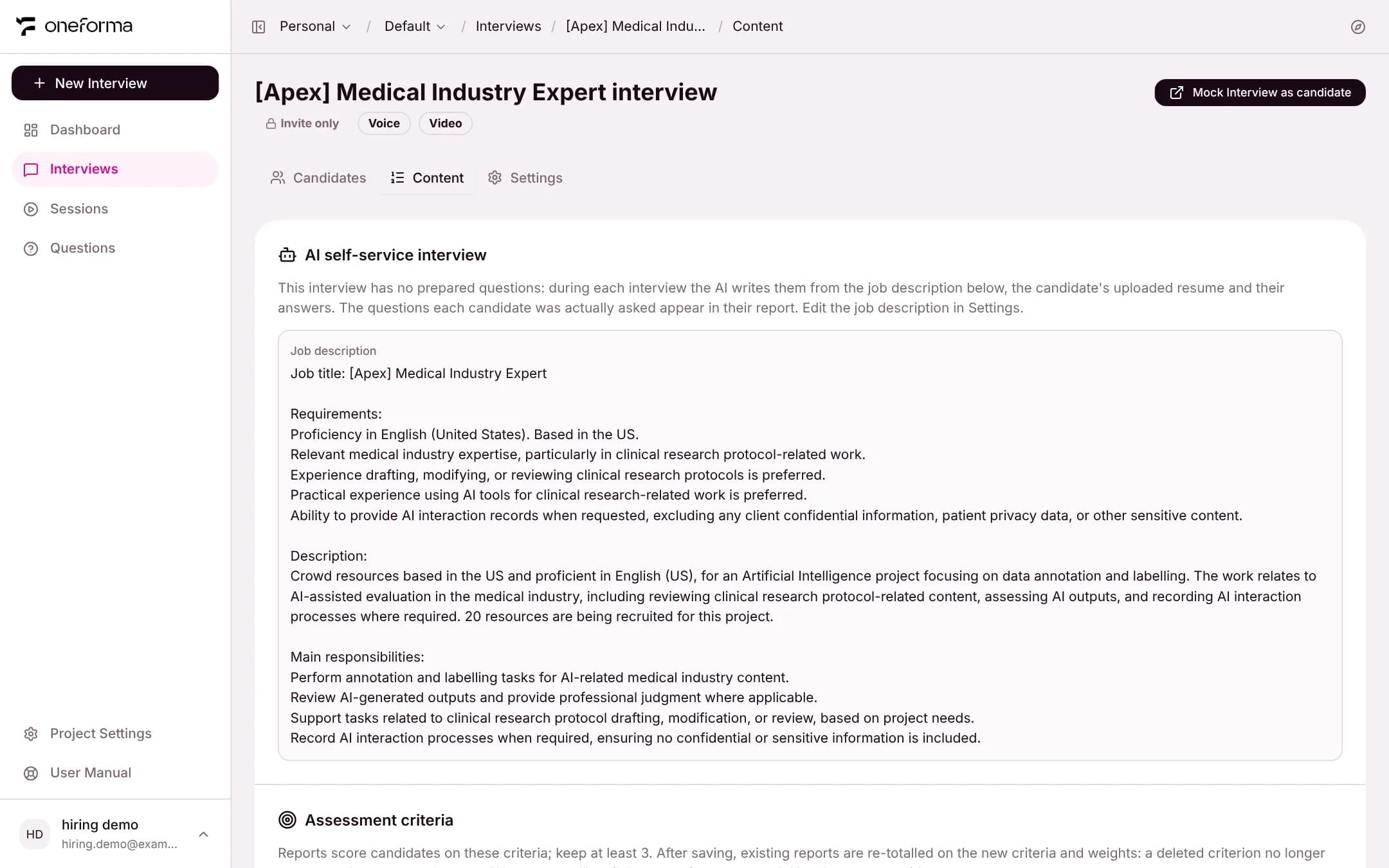
Content Tab
Shows the interview's job description and assessment criteria. The criteria (name, what it assesses, weight and level anchors) can be edited and saved here; at least 3 must remain. After saving, existing reports are re-totalled on the new criteria and weights: a deleted criterion no longer counts, and a new one shows as "Not assessed" until the report is regenerated. The job description is edited on the Settings tab.
Settings Tab
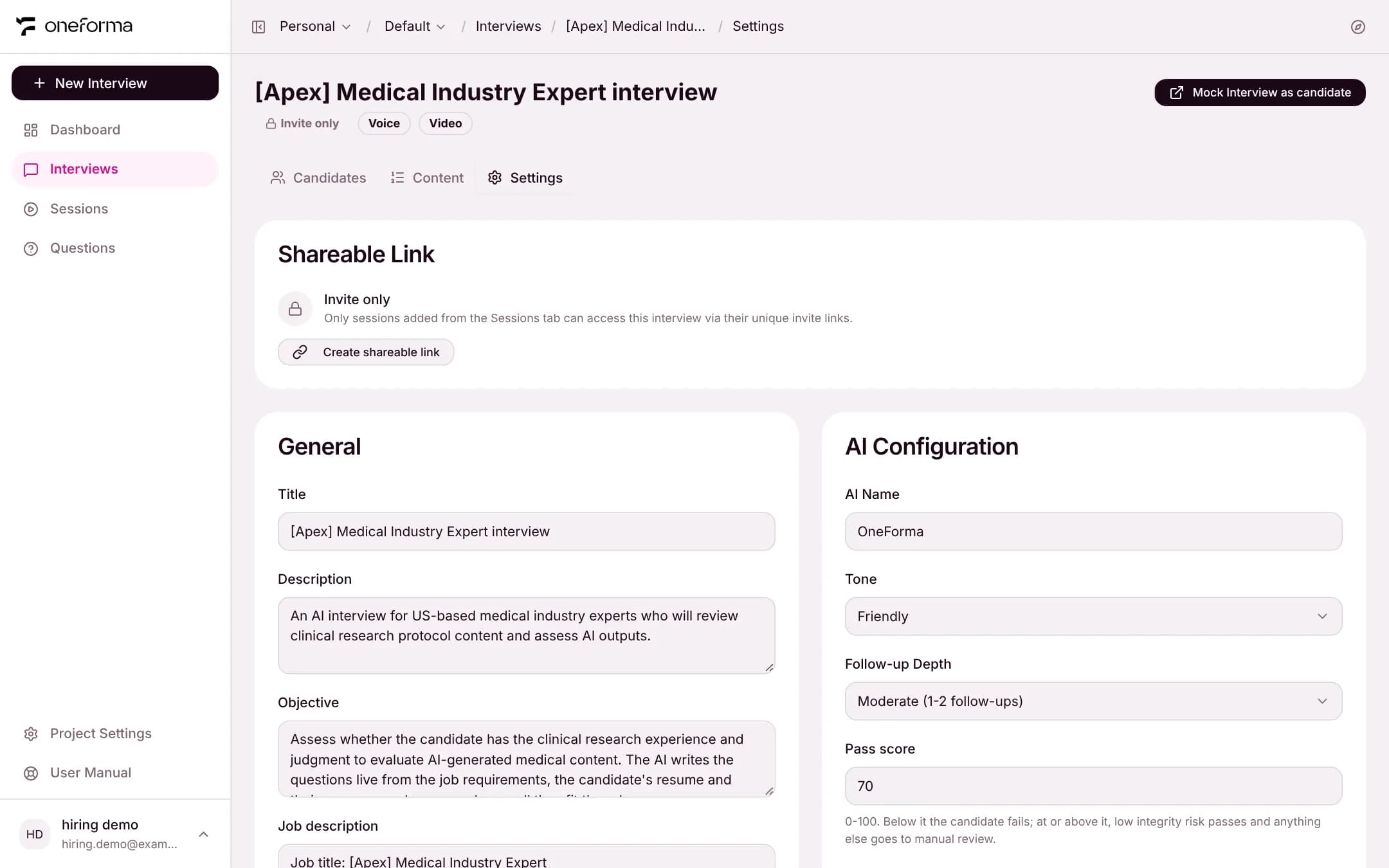
Shareable Link
Interviews are invite only by default: only the candidates you add on the Candidates tab can take part, each through their own invite link.
To open access, click Create shareable link. It generates a public URL that anyone can use to start the interview. You can revoke it at any time to go back to invite only.
General
- Title — the interview name shown to candidates and in lists
- Description — a short introduction shown to candidates
- Objective — what you want to learn about candidates; the AI uses it to steer the conversation
- Job description — what the AI writes its questions from; candidates do not see it
- Duration (minutes)
AI Configuration
- AI Name — the name the AI interviewer introduces itself with
- Tone and Follow-up depth — the same options as during creation
- Pass score — the ability pass line, 0 to 100
- Language — English or Chinese
Session and verdict
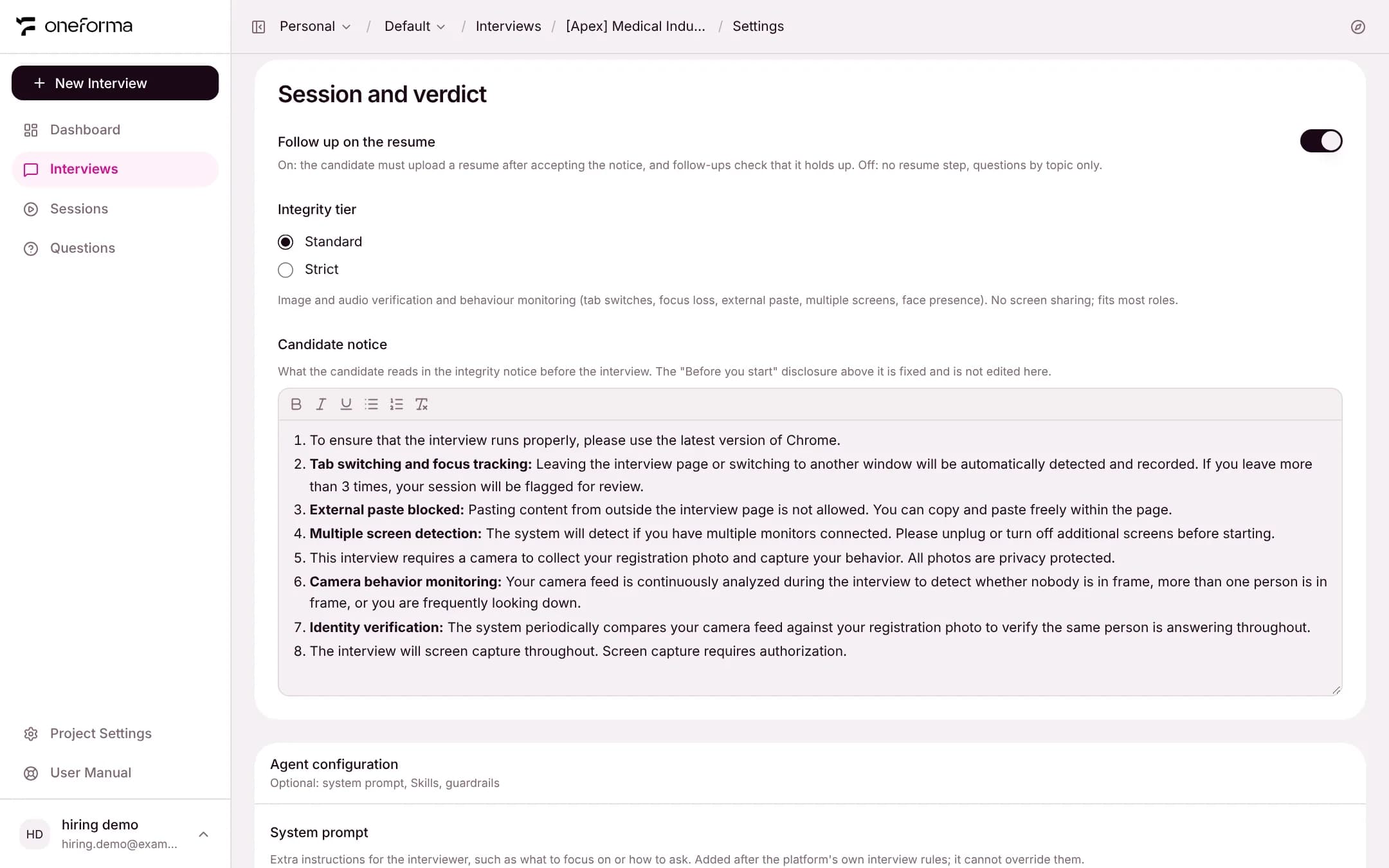
Follow up on the resume, the Integrity tier and the Candidate notice mean the same as during creation. Below them, the Agent configuration lets you change the system prompt, Skills and guardrails.
Time Limit
An interview is never cut off mid-answer. About 2.5 minutes before the end, the AI stops opening new main questions. At the planned time it tells the candidate that the time is up, lets them finish their point, and says goodbye. The candidate's timer turns red and counts the time over. If the interview is still running 10 minutes past the planned time, the system ends it.