

Candidates, Links, and Tracking
Add candidates one at a time or from Excel, share links, and track results through the tags
Adding Candidates
Open the interview, go to the Candidates tab and click + Add. There are two ways to add:
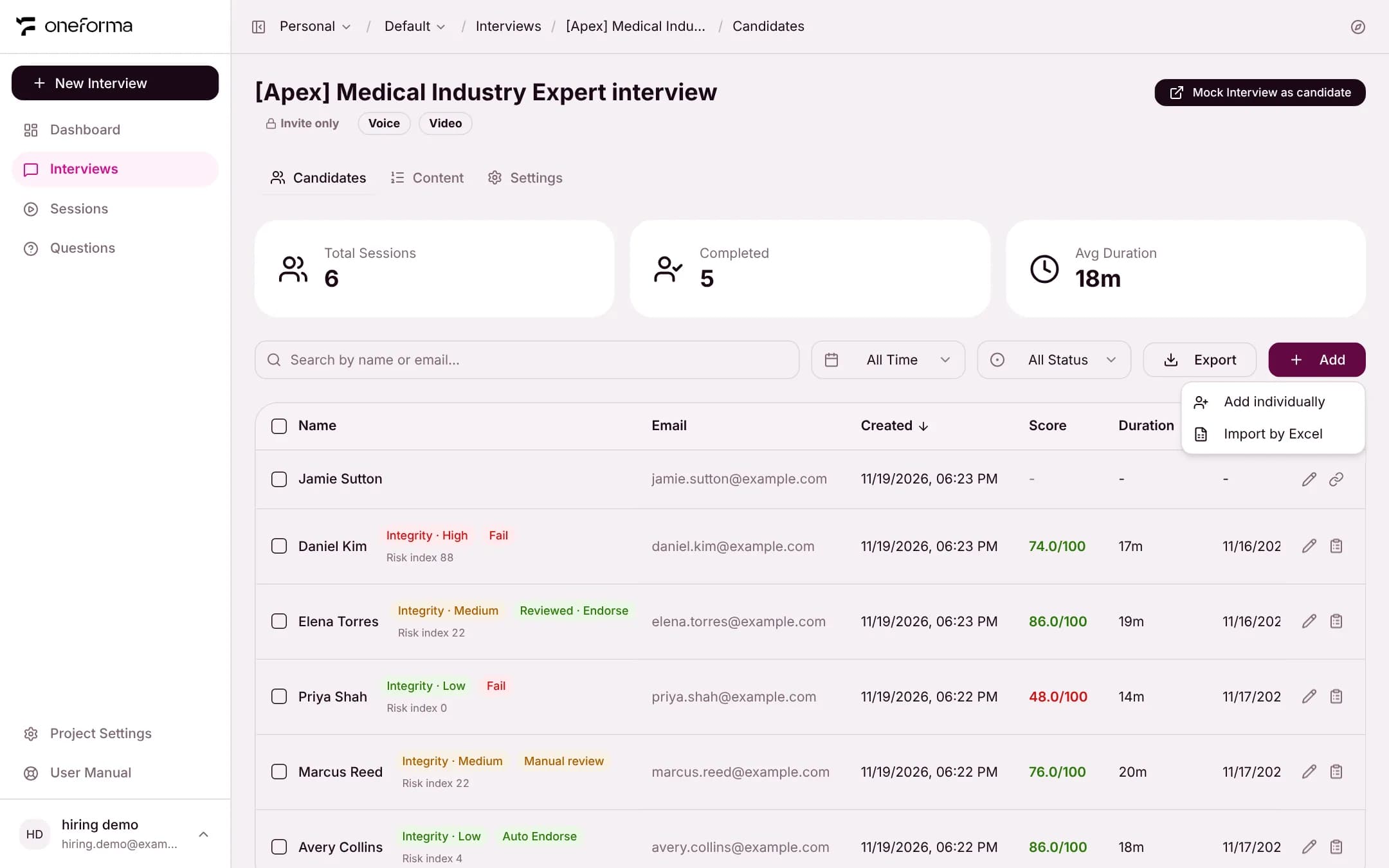
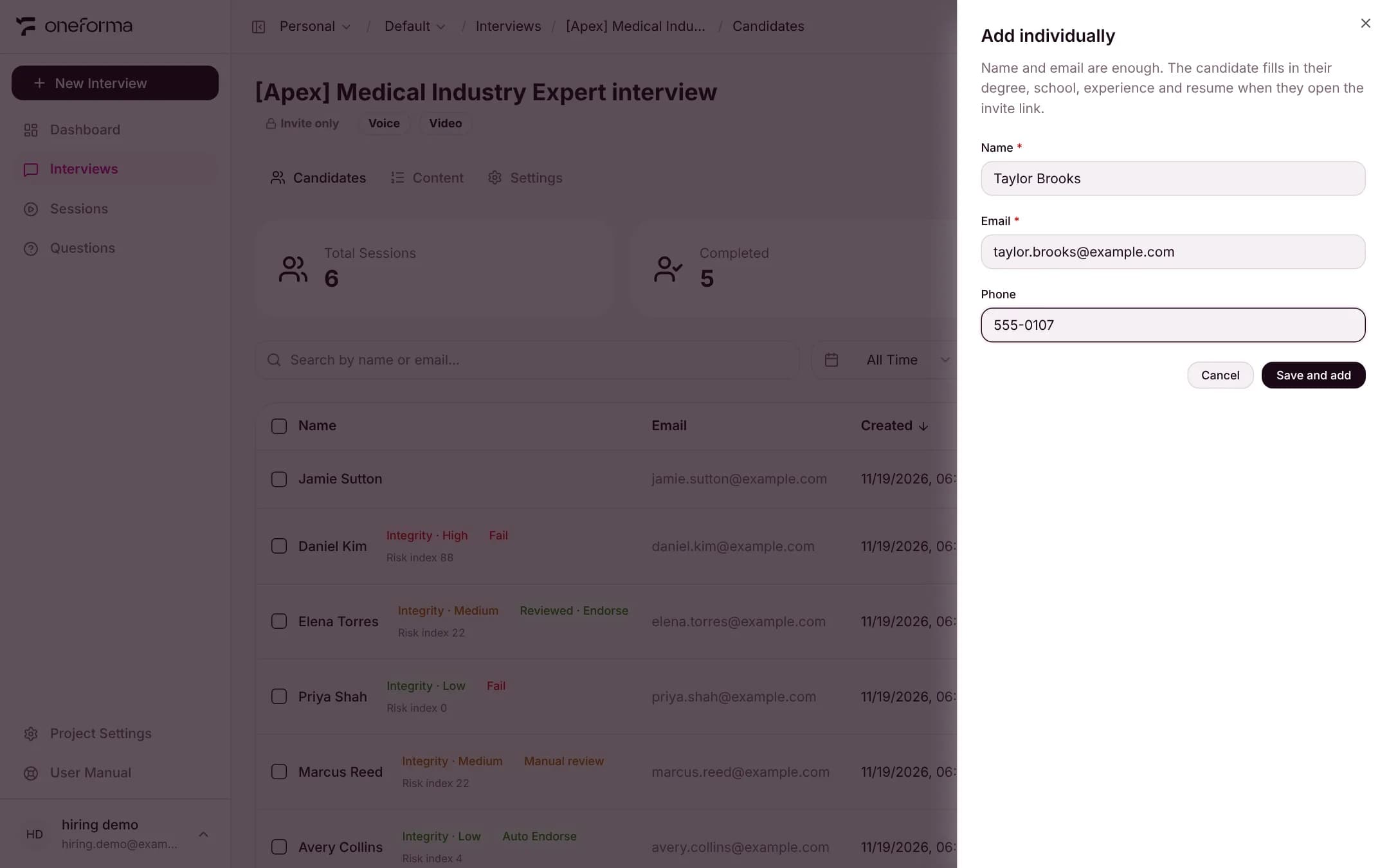
Create individually
Enter the candidate's name, email and phone number (the phone number is optional).
Import by Excel
Download the template, fill in one candidate per row, and upload the file. Every row needs a name.

Link Types
Invite link
Public link
The Candidate List
The top of the list shows the total sessions, the number completed and the average duration. Each row is one candidate with their email, creation time, score, duration, and start and end times. You can search by name or email, filter by time and status, and click Export.
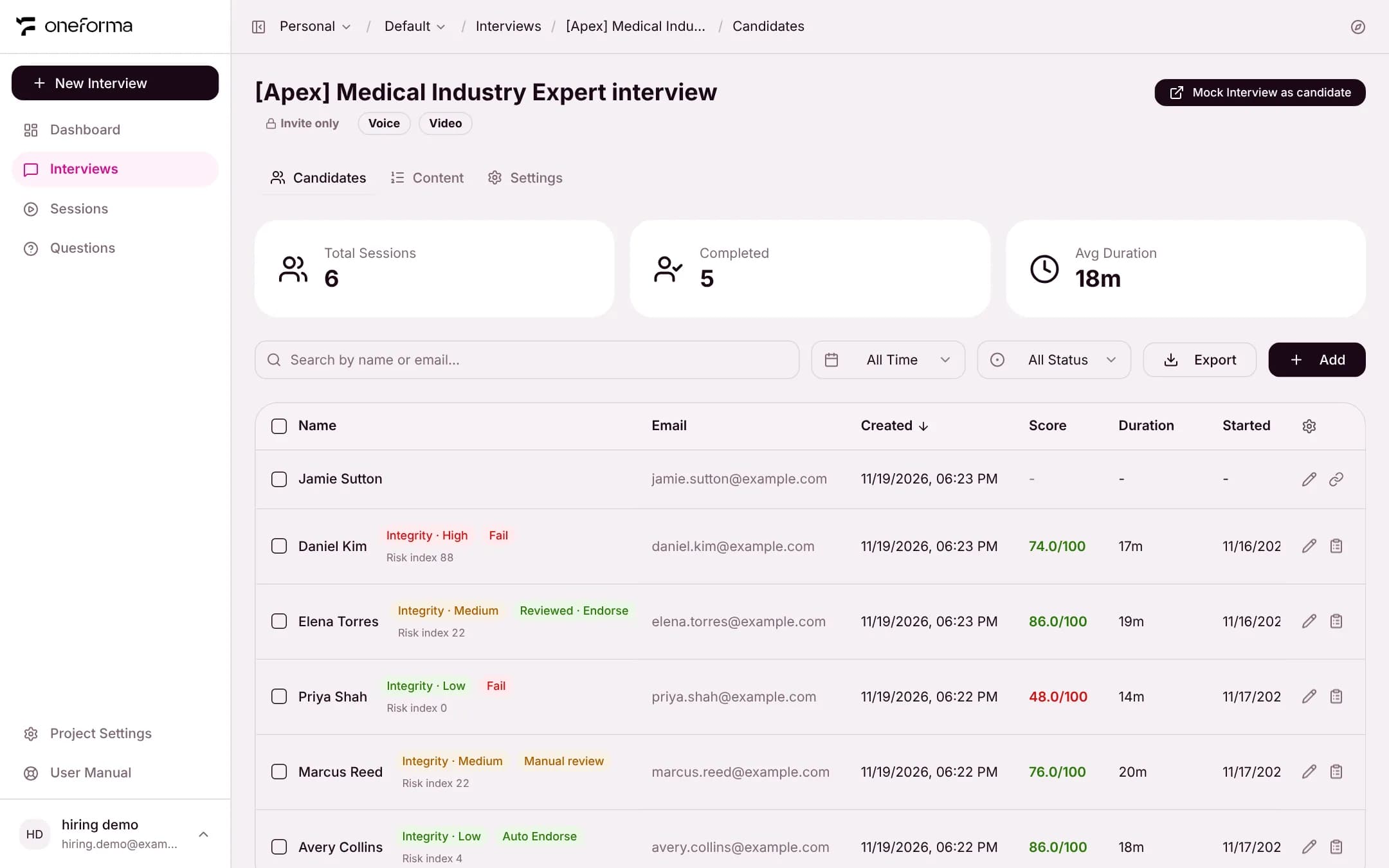
The tags beside a name
Once an interview is finished and its report generated, two tags appear to the right of the name, with the risk index below them:
- Integrity · Low / Medium / High — the integrity risk level.
- Auto Endorse — the ability score reached the pass line and the integrity risk is low.
- Manual review — the ability score reached the pass line but the integrity risk is medium, so a reviewer decides. After the review the tag shows the decision, for example "Reviewed · Endorse".
- Fail — the ability score is below the pass line, the integrity risk is high, or there is no ability score.
- Risk index — 0 to 100; higher means more risk.
A candidate who has not started has no tags and a score of "-". Click a completed row to open its report.
Session status
- Not Started — the candidate has not opened the link yet
- In Progress — the candidate is in the interview
- Completed — the interview is over and the report can be read
A session is marked completed as soon as the interview ends, including when the candidate closes the page right after the interviewer says goodbye. The report is generated in the background; while it is, the list shows "Scoring" and refreshes on its own.
Resuming
A candidate who is disconnected can return to the same link and continue from where they stopped. Their earlier answers are kept.